

💬 Πώς να προγραμματίσεις μηνύματα WhatsApp στο Android
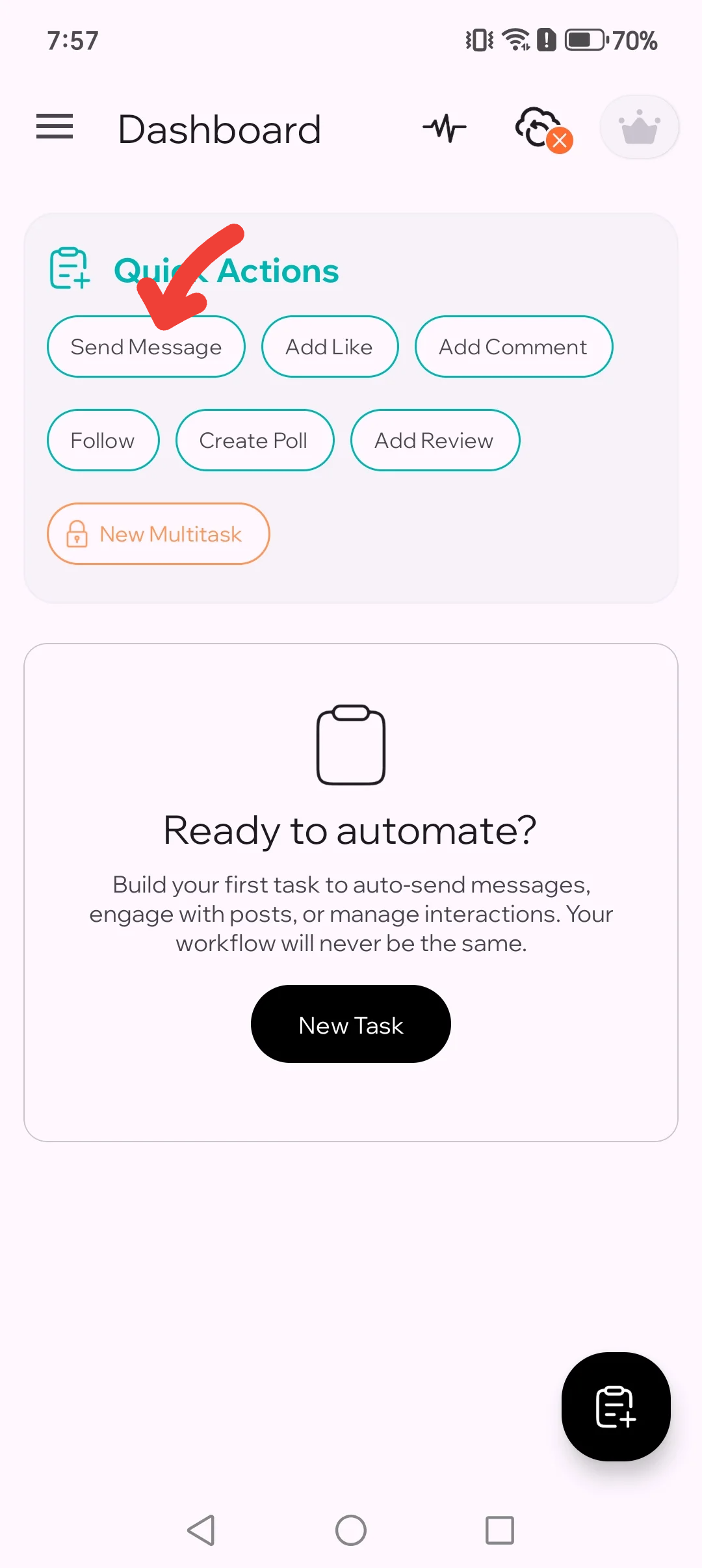
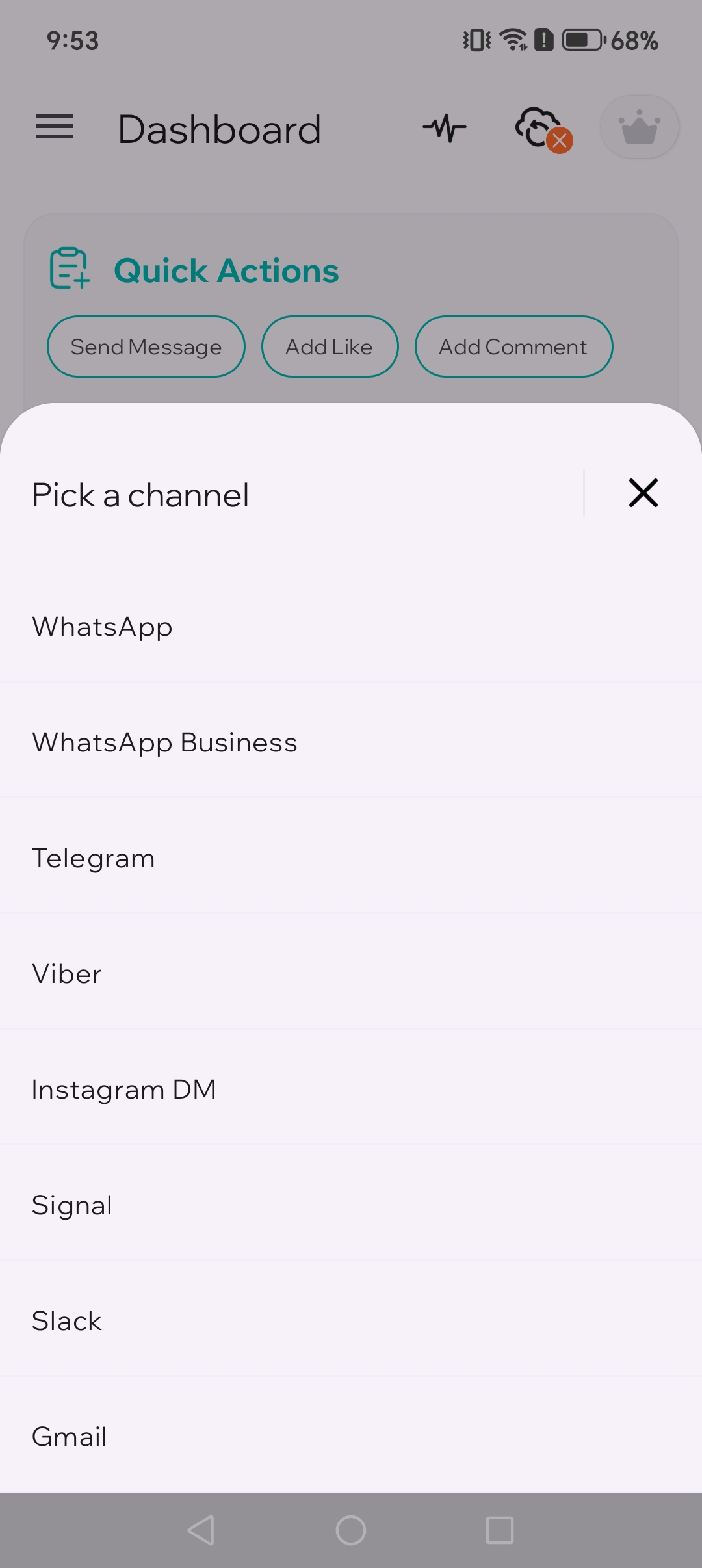
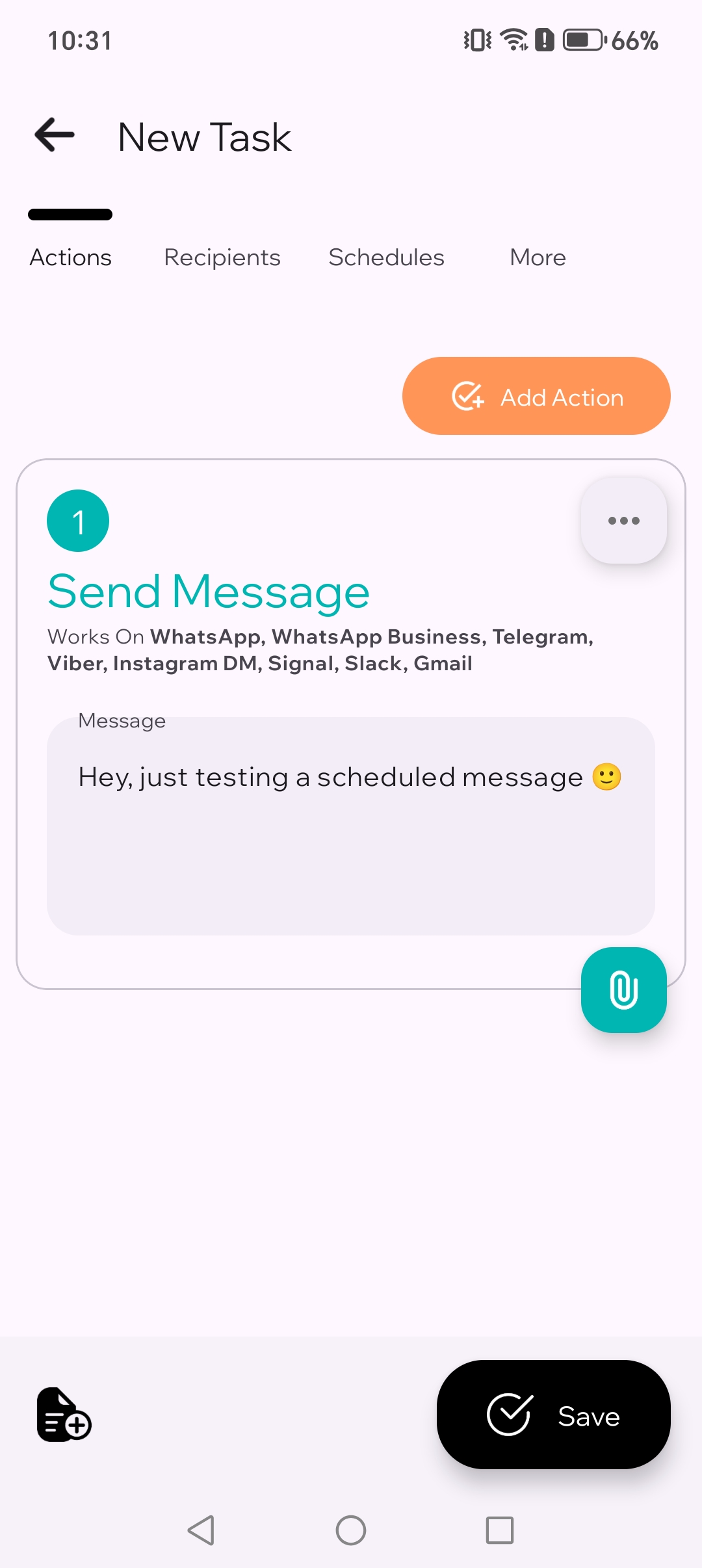
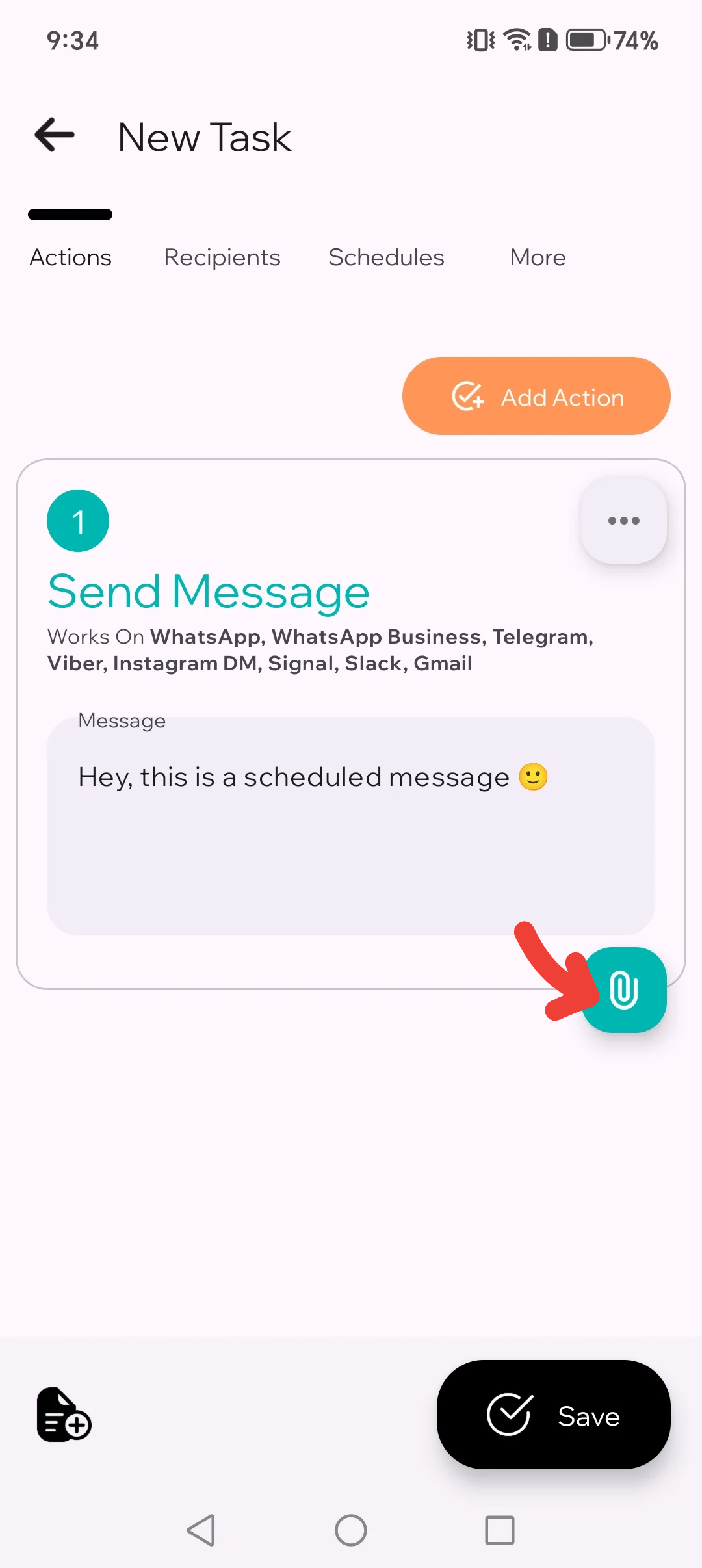
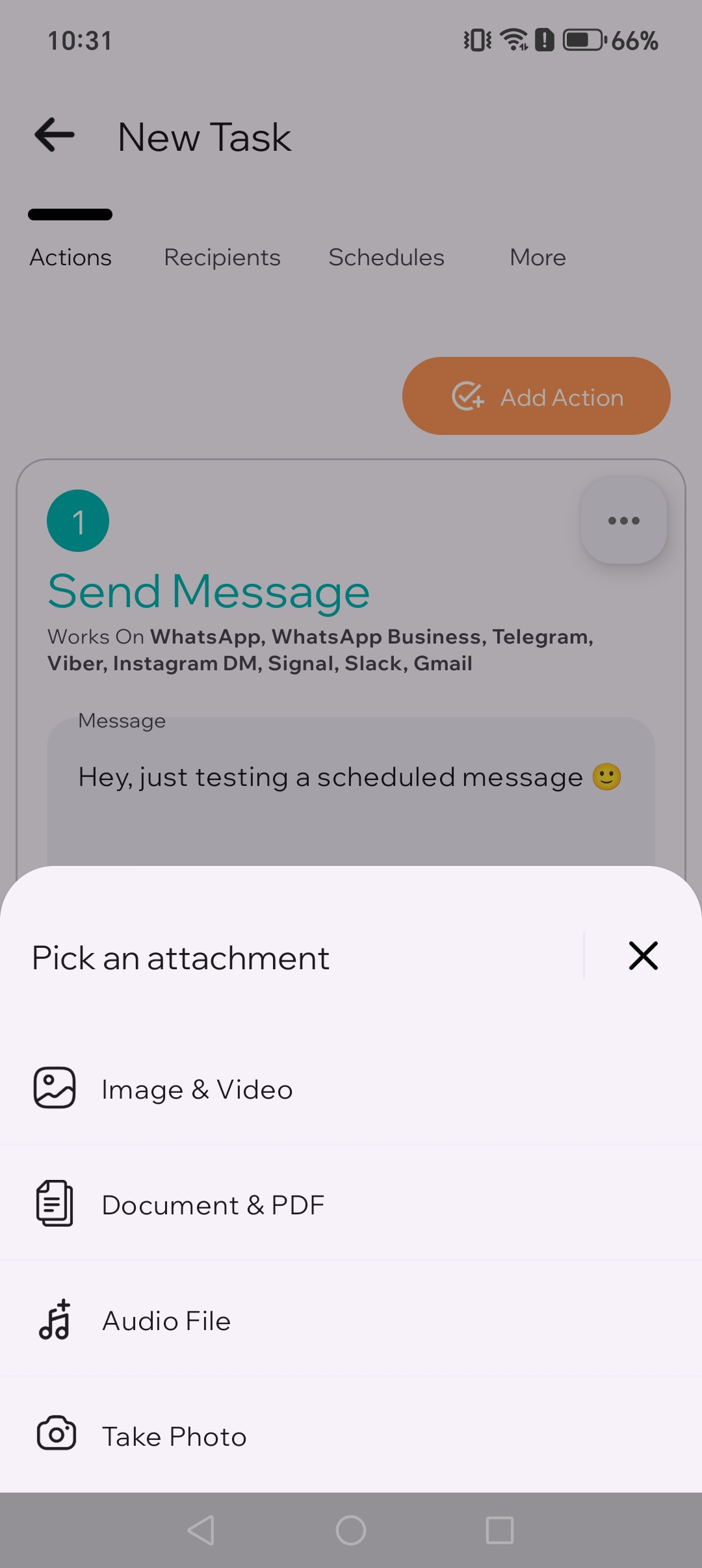
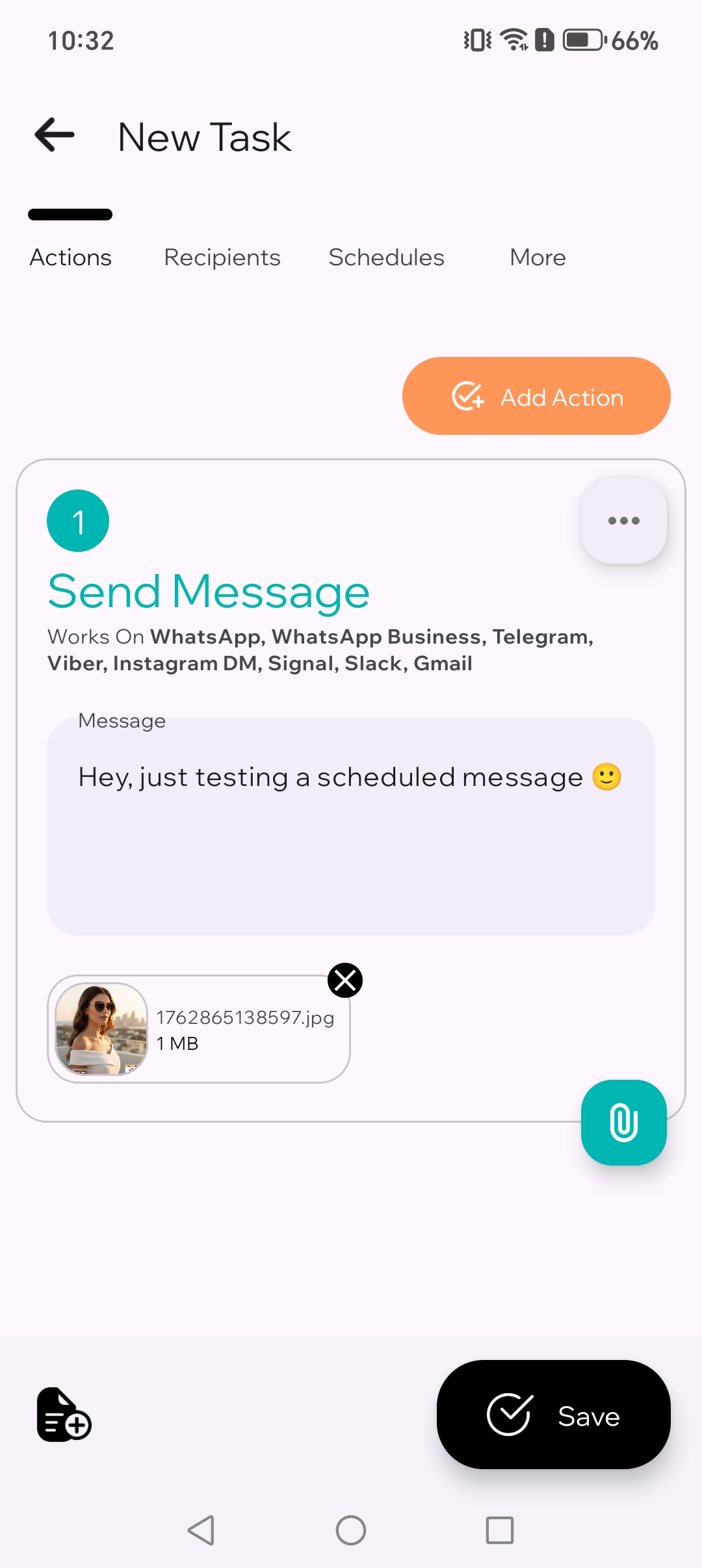
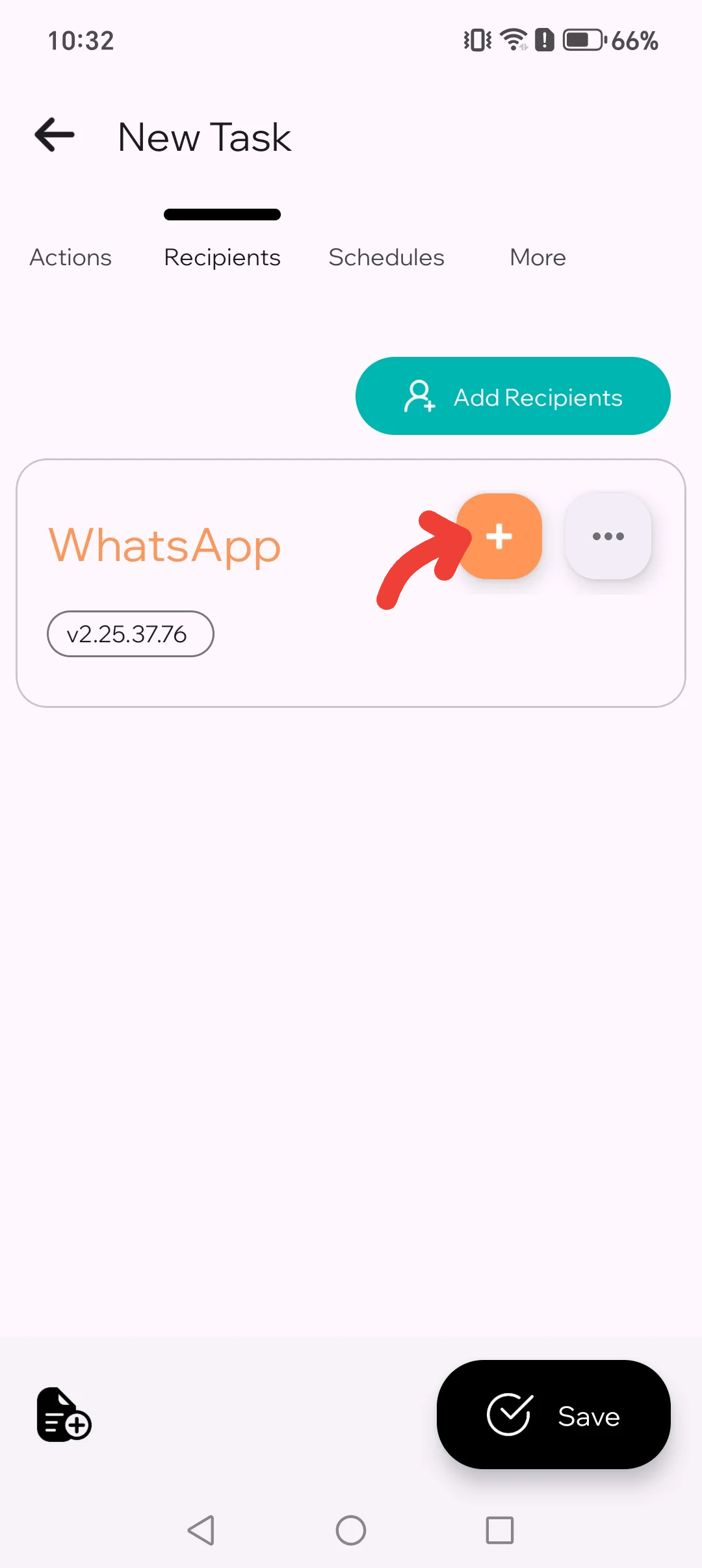
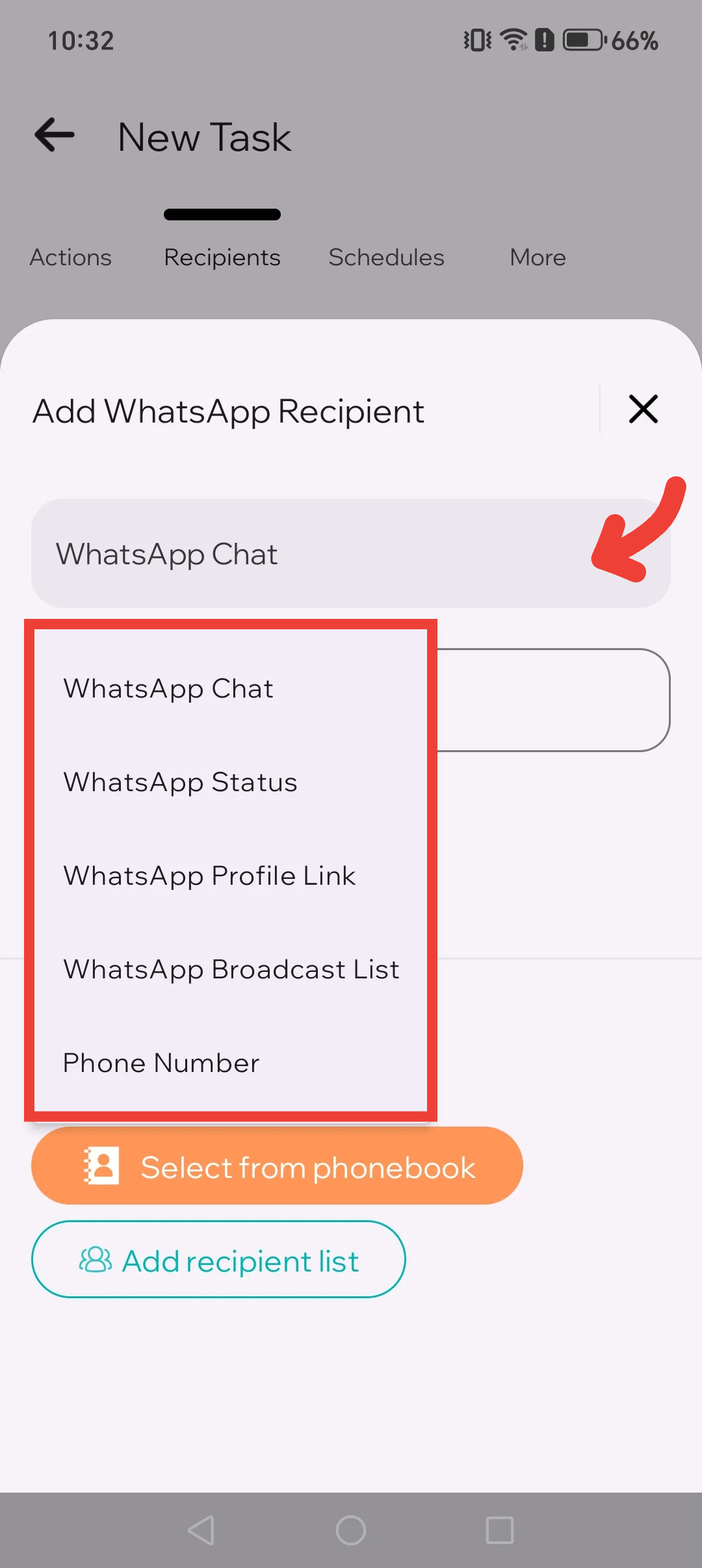
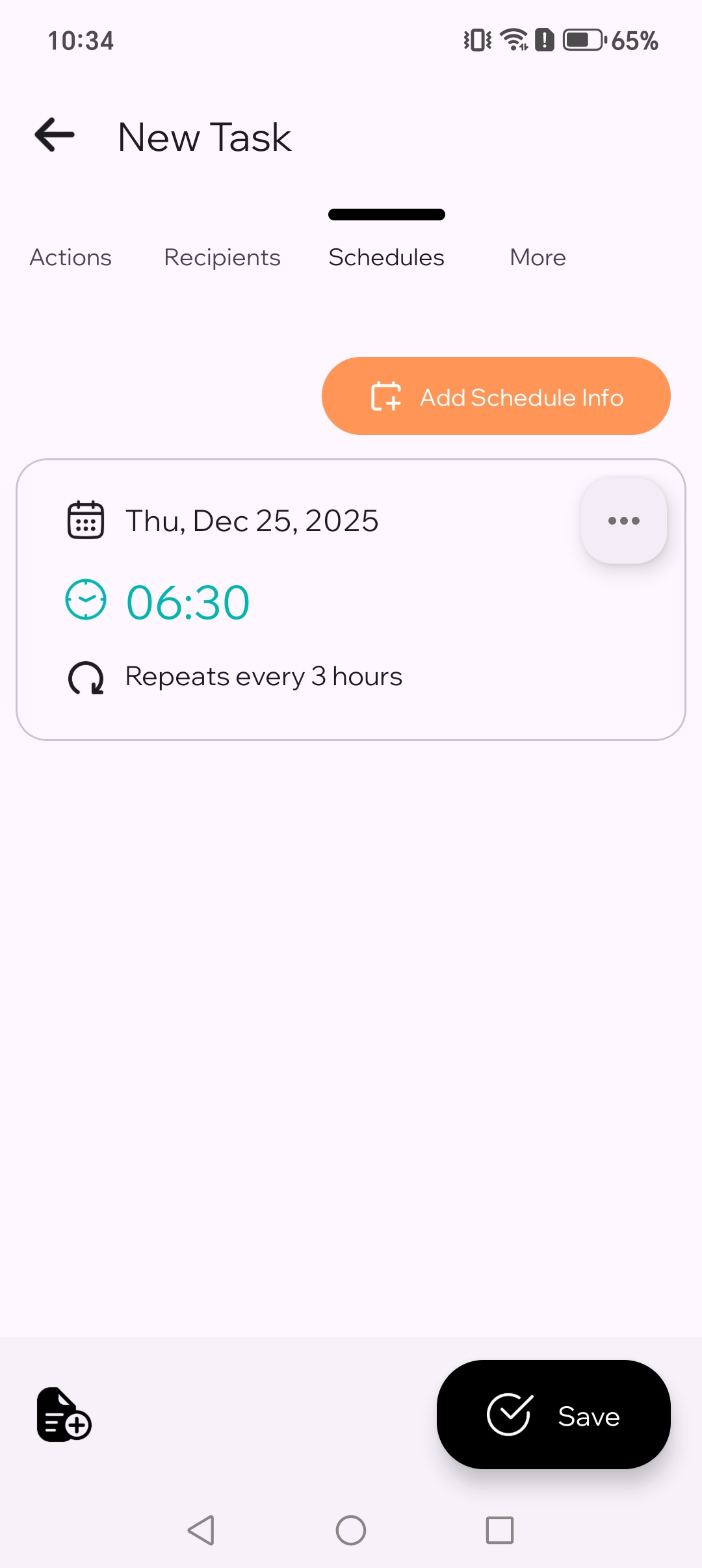
Επίλεξε Αποστολή μηνύματος, γράψε το κείμενό σου, διάλεξε WhatsApp και τους σωστούς παραλήπτες, όρισε την ώρα και αποθήκευσε.
Μπορείς να προγραμματίζεις μηνύματα WhatsApp στο Android με το TikTask επιλέγοντας Αποστολή μηνύματος, γράφοντας το κείμενό σου, επιλέγοντας WhatsApp, διαλέγοντας τους σωστούς παραλήπτες, ορίζοντας την ώρα και αποθηκεύοντας.
Αυτός ο οδηγός είναι γραμμένος για κανονικούς χρήστες, όχι για τεχνικούς αναγνώστες. Θα εξηγήσουμε τι να πατήσεις και τι σημαίνει κάθε βήμα.
Πριν ξεκινήσεις
Το TikTask λειτουργεί στη συσκευή σου, όχι σε διακομιστή. Όταν έρθει η ώρα αποστολής, μπορεί να ανοίξει για λίγο το WhatsApp για να ολοκληρώσει την ενέργεια. Αυτό είναι φυσιολογικό.
Αν το TikTask ζητήσει βοήθεια ρύθμισης, άνοιξε πρώτα την Παρακολούθηση συστήματος. Θα εμφανιστούν μόνο οι έλεγχοι που σχετίζονται με το τηλέφωνό σου.
Βήμα-βήμα
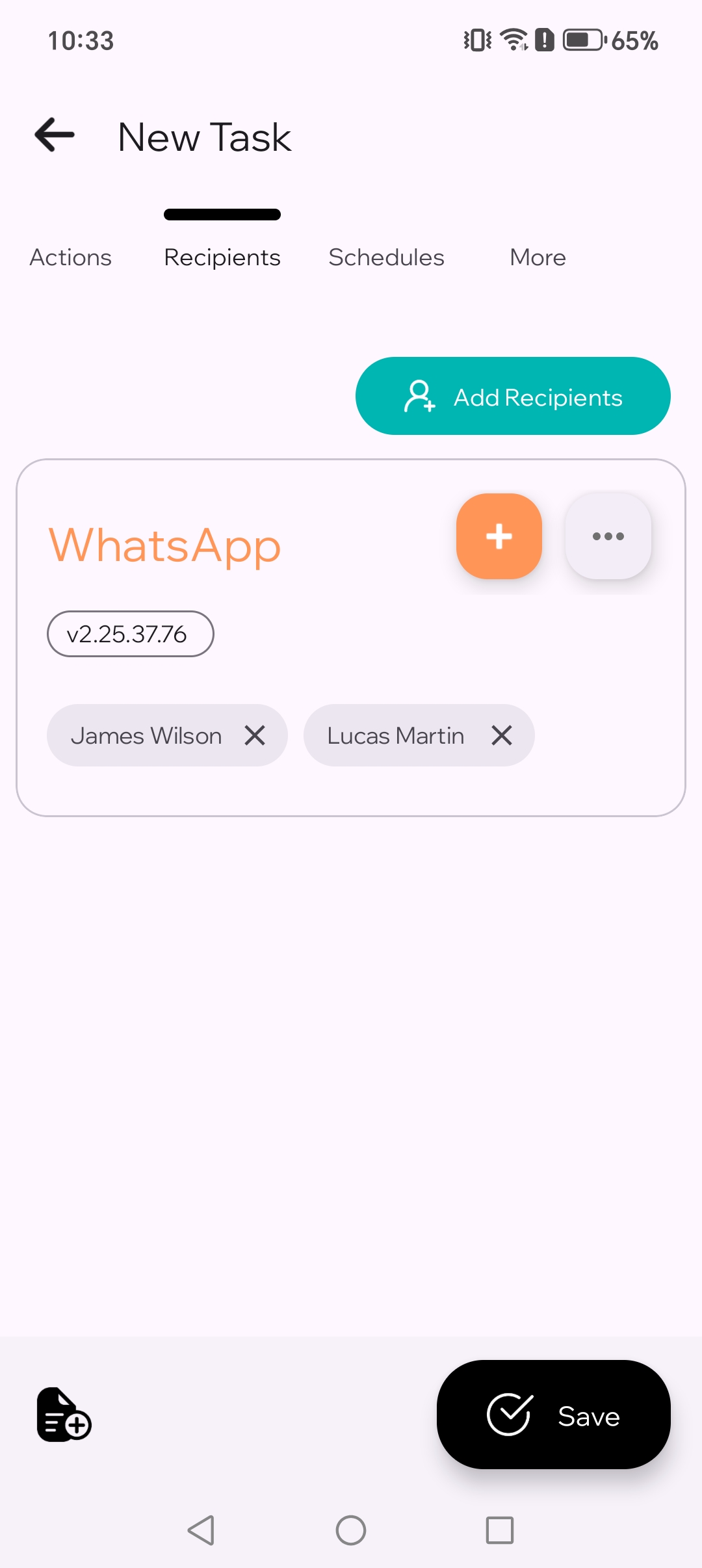
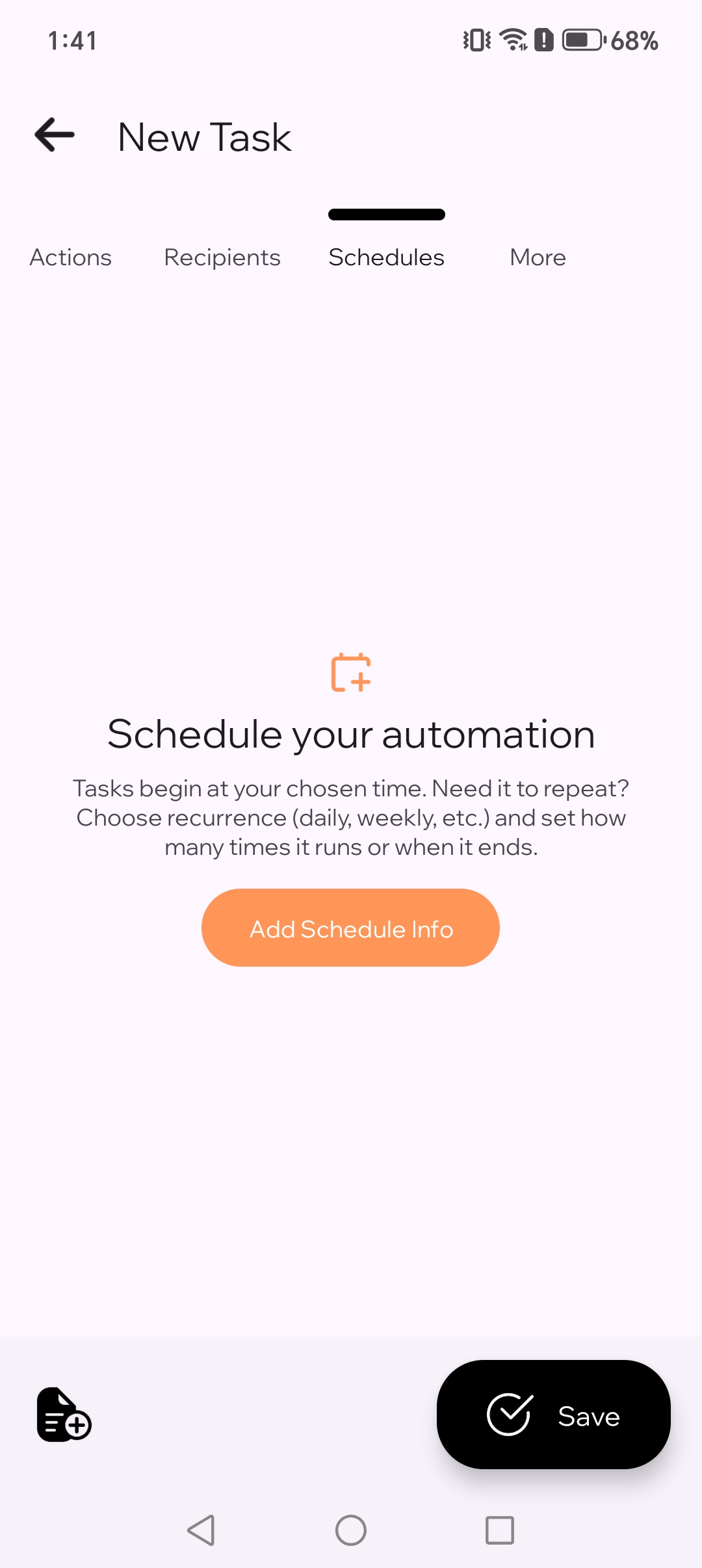
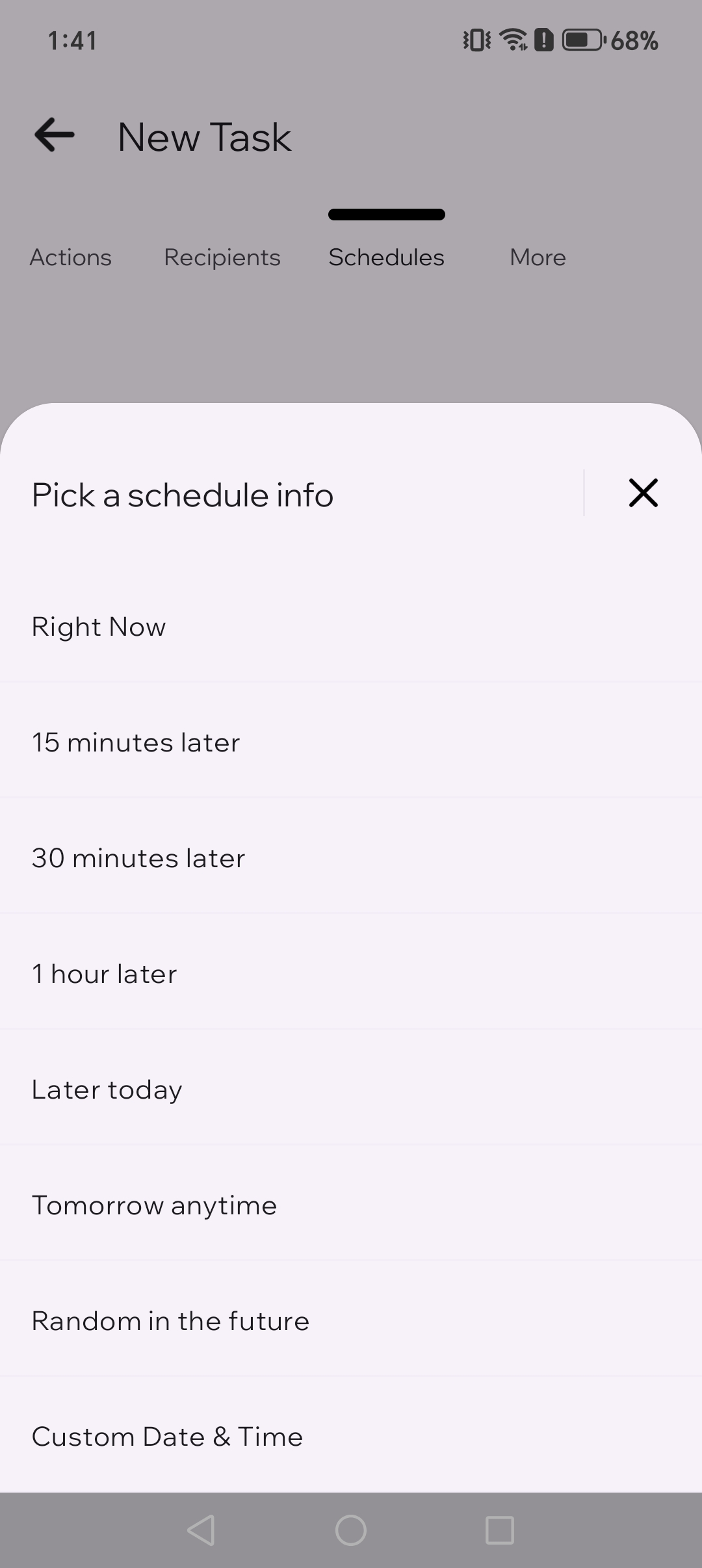
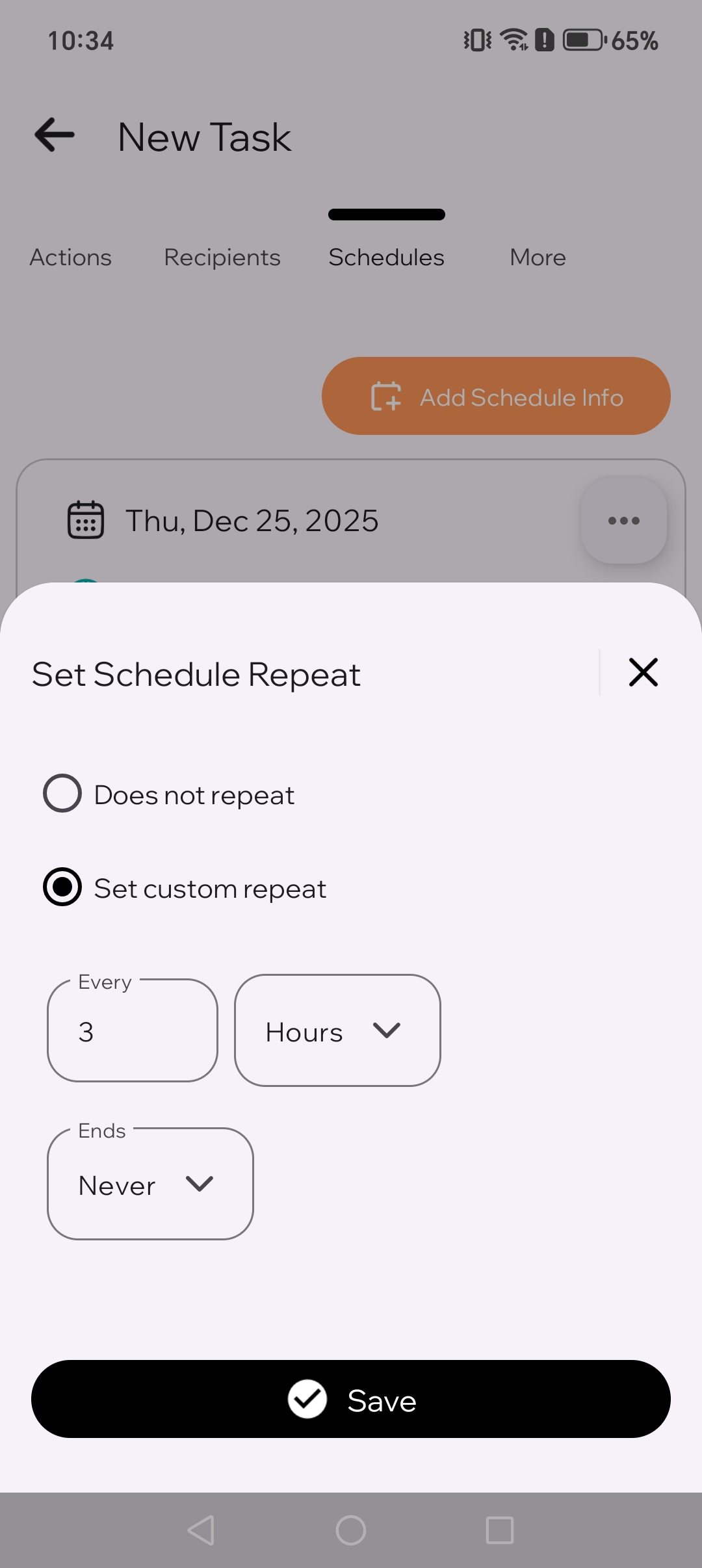
Αν δεν σταλεί στην ώρα του
Στις περισσότερες περιπτώσεις, το πρόγραμμα είναι σωστό και το πρόβλημα είναι το τηλέφωνο. Ξεκίνα πρώτα από την Παρακολούθηση συστήματος. Εμφανίζει μόνο τους ελέγχους που έχουν σημασία για το τηλέφωνό σου. Έπειτα έλεγξε τα παρακάτω αν χρειάζεται.
- Εκτέλεσε ξανά την Παρακολούθηση συστήματος και ολοκλήρωσε πρώτα τους προτεινόμενους ελέγχους
- Επιβεβαίωσε ότι η Υπηρεσία προσβασιμότητας είναι ενεργή
- Απενεργοποίησε τη βελτιστοποίηση μπαταρίας ή τους περιορισμούς παρασκηνίου για το TikTask
- Δες τον οδηγό για τη μάρκα του τηλεφώνου σου αν χρησιμοποιείς Xiaomi, Samsung, OnePlus, OPPO, Tecno, Infinix ή παρόμοιες συσκευές
- Κάνε άλλη μία γρήγορη δοκιμή λίγα λεπτά αργότερα
Χρήσιμα επόμενα βήματα
- Χρησιμοποίησε Λίστες παραληπτών αν στέλνεις συχνά μηνύματα στα ίδια άτομα
- Χρησιμοποίησε τον οδηγό για μη αποθηκευμένους αριθμούς αν ο αριθμός δεν υπάρχει στις επαφές σου
- Άνοιξε τη λίστα ελέγχου ρύθμισης Android αν τα tasks καθυστερούν πάνω από μία φορά